PRO

Liquidity Heatmap

Visualize order book depth over time. See where liquidity clusters, dissolves, and shifts — in real time.
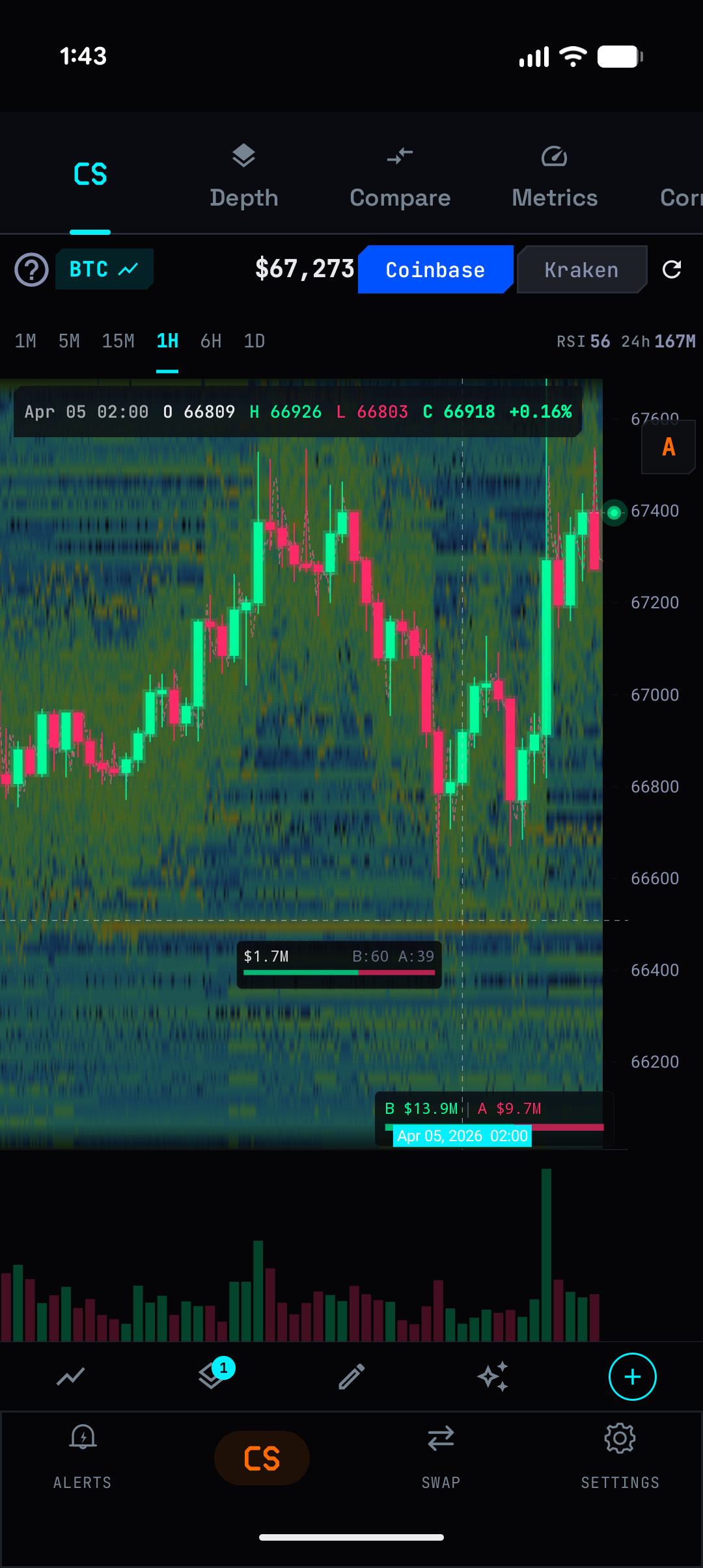
Thermal heatmap with crosshair showing liquidity zones

What It Does

The heatmap captures order book snapshots every 30 seconds and renders them as a color gradient over time. Dense liquidity zones glow bright. Thin areas stay dark. You can literally see support and resistance forming and dissolving in the order book.

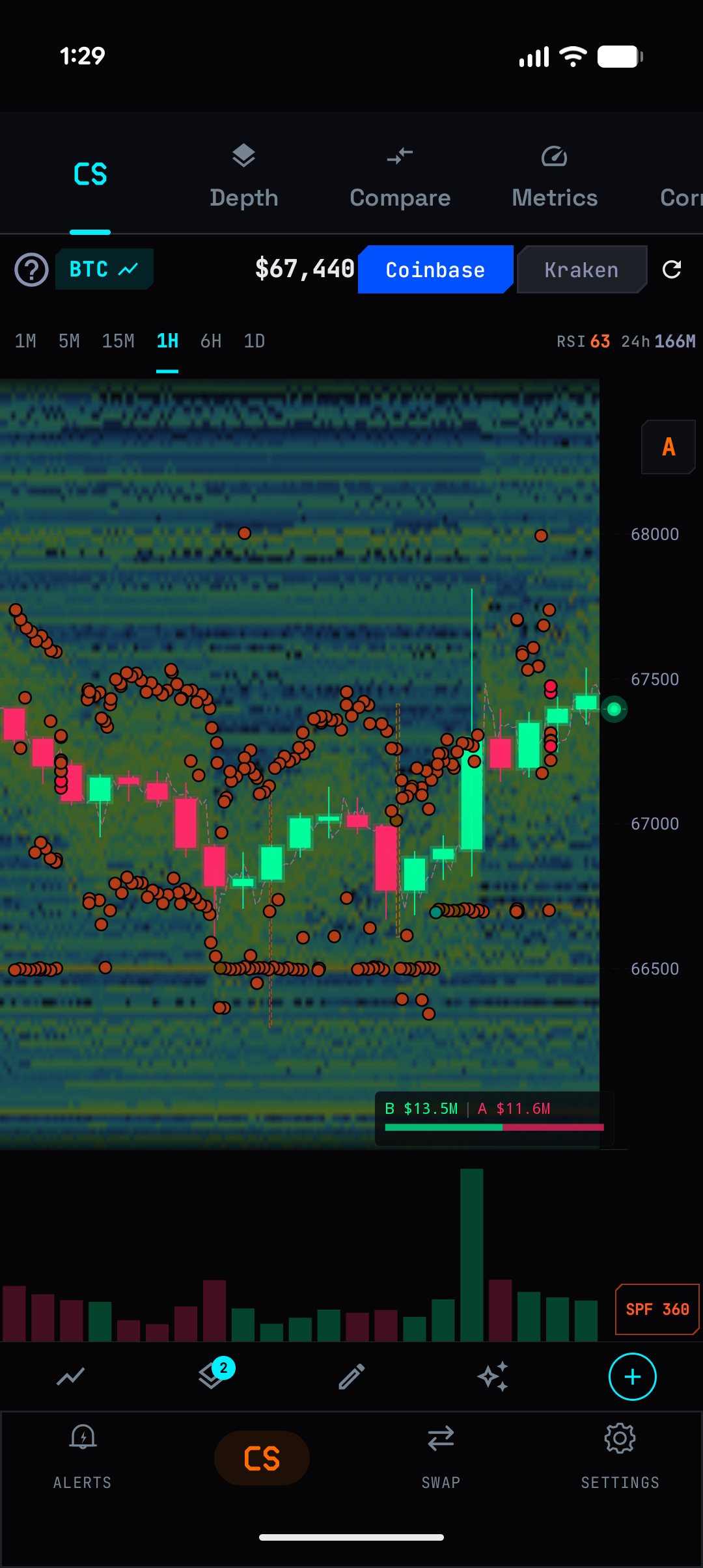
Combined with Spoofing Detection, the heatmap shows Anomaly Ghosts — pulsing borders around zones where fake orders were detected.

Key Capabilities

Thermal Map

Color gradient showing order book depth over time. Bright zones indicate concentrated liquidity. Crosshair shows exact values: volume, bid/ask ratio, price level.

Order Map

Overlay showing whale orders, best bid/offer markers, and wall positions directly on the chart.

Crosshair Details

Tap any point on the heatmap to see: total volume at that price/time, bid vs ask breakdown, and imbalance ratio. The bottom bar shows total bid and ask USD values.

How To Use

1

Tap the layers button and enable Heatmap (HM)

2

The chart background fills with the thermal gradient

3

Bright horizontal bands = strong support/resistance from order book

4

Use crosshair to inspect specific price/time points

5

Enable Spoofing Detection alongside to see which zones contain fake orders

6

Watch for zones that suddenly go dark — liquidity being pulled

Screenshots

Heatmap with spoofing markers

Try It Now

Download ChainVol for free on Google Play. PRO features available via subscription.

Get it on Google Play